It started in 2002. Back then, identifying a song required frantic radio calls or scribbling notes in a notebook. Shazam changed that. The app turns your phone’s microphone into a specialized audio sensor. You press play. The algorithm captures a few seconds of sound. It runs that audio through a complex fingerprinting database. Within seconds, it knows the track, the artist, and the album. This works even in noisy clubs or busy streets.
The utility goes beyond just the name. Shazam delivers lyrics. It links to the album art. It pushes you toward streaming services like Spotify, Apple Music, or Deezer. This seamless integration matters. It bridges the gap between hearing a song in the real world and owning it digitally. Users aren’t just curious; they want to listen immediately.
Over time, the tool evolved. It added social features. You can now share what you’ve found. You can track your history. The database grew massive, becoming the industry standard. Competitors tried to copy the model. They failed to match the reliability. Shazam’s advantage remains its sheer volume of data and accuracy. Artificial intelligence and machine learning keep refining the process. The technology is now faster and more precise than ever before.
Installing Shazam on Mobile and Desktop Devices
Getting the app is straightforward. Most modern operating systems support it natively. Android users head to the Google Play Store. It’s free. It installs securely. Apple users have more options. iPhone and iPad owners find it on the App Store. The iPadOS version gets specific optimizations. Even the Apple Watch supports it. You don’t need a phone nearby to identify a song.
macOS users aren’t left out. There is a desktop version. It integrates cleanly with the Mac environment. This helps when you’re watching a movie or listening to a track on your computer. But the landscape extends further.
Using the Shazam Chrome Extension
For those who spend more time in browsers than on apps, a different solution exists. A Chrome extension allows identification directly from the web. It works on Windows, macOS, and Linux. If a song plays on a streaming site or a web page, you can capture it. The process is simple. One click triggers the recognition. It feels native. It removes the friction of switching between a browser and a separate app.
Keeping Shazam Updated and Secure
Updates happen automatically through the app stores. This keeps the security patches current. It also improves the audio recognition algorithms. However, manual checks are wise. New versions often bring better precision. They might add features you didn’t know you needed.
What if you need an older version? App stores rarely offer this. They push the latest release. Some third-party sites host old APKs or IPA files. Be careful. Downloading from unofficial sources introduces security risks. Malware hides in those files. Stick to official channels whenever possible.
Compatibility Across Operating Systems
In professional or academic settings, software compatibility is key. Shazam excels in mobility. It’s designed for on-the-go use. But it covers most common devices. Smartphones. Tablets. Laptops. The ecosystem is broad.
Linux users face a slight hurdle. There is no native Linux app. The Chrome extension remains the primary workaround. It’s a functional alternative. It doesn’t offer the same deep integration as the iOS or Android apps. But it works. It identifies music reliably. For those locked into Linux, it’s the best available path.
The technology keeps improving. The database keeps growing. The user base keeps expanding. Shazam isn’t just a utility. It’s a cultural touchstone. It connects the auditory experience with digital consumption in a way that feels effortless. You hear something. You know it. You keep it. The cycle is complete. There’s still friction in the ecosystem, though. Syncing issues pop up. Regional licensing gaps appear. But the core function remains unmatched. You just point, tap, and listen.

The Real Cost of Using Shazam
The most glaring advantage of Shazam is that it costs absolutely nothing. You can identify a track on iOS, Android, or any other major platform without spending a dime. There are no hidden paywalls, no “premium” tiers for basic listening, and no annoying ads interrupting your scan. It just works.
For years, users have asked if there’s a paid option for pros or students. The answer is no. Apple, which owns the app, hasn’t introduced a subscription model for Shazam itself. The core features—finding songs, checking history, and linking to streaming services—are free for everyone.
However, there is a catch. While Shazam doesn’t charge you, the services it connects to might. If you want Shazam to automatically add identified songs to a playlist on Spotify or Apple Music, you need a premium account with that specific platform. Shazam is the bridge; you still pay for the toll roads.
How It Compares to SoundHound and Musixmatch
When people search for “how to identify songs,” they often compare Shazam to rivals like SoundHound or Musixmatch. Each has a different angle. SoundHound lets you sing a hum instead of playing the actual record. Musixmatch focuses heavily on syncing lyrics for video playback.
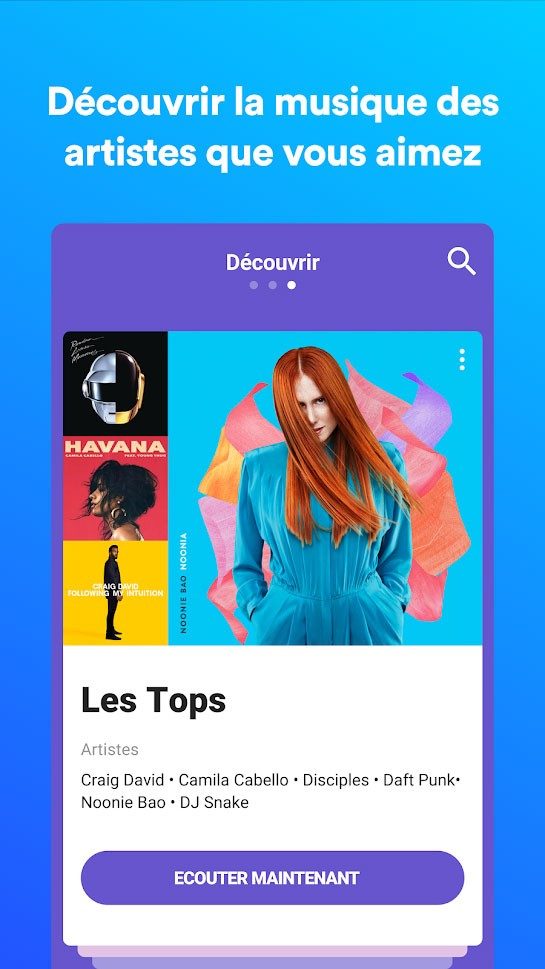
Shazam wins on sheer volume and simplicity. Its database is massive. It handles obscure international tracks and brand-new releases with equal ease. For musicians or students, the real value isn’t just identification. It’s the educational layer. Seeing the composer, the album art, and real-time lyrics makes it a tool for learning, not just guessing.
There is no official certification for using Shazam. You don’t need to take a course. That’s because the interface is designed to be intuitive. If you can press a button, you can use the app. Online guides exist for power users who want to tweak settings or maximize API integrations, but for the average person, it’s plug-and-play.
Privacy Concerns and Data Handling
Privacy is the elephant in the room. Shazam needs your microphone. Always. But how it uses that audio matters. The app captures a snippet of sound, sends it to the cloud for matching, and then largely discards it. It doesn’t store your private conversations or background noise for advertising profiles.
The data practices align with strict app store guidelines. Recent updates have focused on transparency. You control your consent. The app tells you what it’s doing and why. It’s a significant shift from the opaque data harvesting of the early 2010s.
The Impact on Music Discovery
Shazam has changed how hits are made. We’ve all seen the trend. A song gets identified thousands of times in a short period. The algorithm notices. The track gets pushed harder. Virality on the app can break an artist’s career before they even play a live show.
It creates a direct line between a listener’s ear and a streaming platform. For industry pros, it’s a metric. For casual users, it’s convenience. You hear a weird sound in a café, tap the icon, and five seconds later, your new favorite song is in your queue.
Why You Should Update Your Version
Some users hold onto old versions. Maybe they like the old interface. Maybe they have an ancient phone. But running outdated software is risky. Newer versions include critical security patches. They also improve the recognition speed. The AI behind the scenes is constantly getting better at filtering out noise and identifying tracks faster.
Updating is straightforward. Go to your app store settings. Check for updates. If you’re struggling with an old, buggy version, uninstalling it and reinstalling the latest build is usually the fix. The process is simple on both iOS and Android.
The Future of Audio Recognition
Shazam isn’t stopping at mobile phones. It’s moving into wearables and smart devices. The integration of AI means it’s getting smarter at understanding context, not just audio fingerprints.
It remains the go-to solution for anyone who wants to identify music without friction. No ads. No subscriptions. Just a free, reliable tool that keeps evolving. As technology advances, the gap between hearing a sound and knowing its identity will only shrink.

Technical specs: what you need to run Shazam
Don’t just hit download without checking the fine print first. Shazam is everywhere, but compatibility isn’t magic. It requires specific hardware permissions and a stable connection strategy. The core engine relies on audio fingerprinting. You can’t bypass this. The microphone must be active. No mic, no identification. Period.
The software spans mobile and desktop ecosystems. You get native apps for Android and iOS. This covers iPhones, iPads, and even the Apple Watch. macOS users get a dedicated desktop client. For those who stay in the browser, there’s a Google Chrome extension. It identifies music streaming directly from tabs. That’s convenient until DRM blocks it.
Offline mode exists, but it’s not true offline identification. You record the audio locally. You upload it later when you’re back online. The analysis happens in the cloud. You need that internet connection for the heavy lifting.
Integrations are where the app shines for listeners. It doesn’t force you to stay in the Shazam ecosystem. You can push identified tracks directly to Apple Music, Spotify, or Deezer. The feature works if your regional account supports it. No extra subscription is needed for the linking itself.
Here is the breakdown. Keep it handy.
- Developer : Shazam Entertainment Ltd. (owned by Apple)
- Cost : Free (Freeware)
- Platform : Android, iOS (iPhone, iPad, Apple Watch), macOS, Chrome Extension
- Distribution : Google Play, App Store, Mac App Store, Chrome Web Store
- Languages : Multilingual interface, including French
- Key Features : Song identification, synchronized lyrics, history, Auto Shazam
- Permissions : Microphone (mandatory), Notifications (optional)
Stick to official stores. Sideloading APKs or downloading from third-party sites is a security risk. Official channels ensure updates. Updates fix bugs and improve recognition accuracy. They also keep your device safe from malware disguised as music tools.
How well does it actually work in the real world?
Shazam is reliable. It’s not perfect, but it’s consistent. You hear a song on the radio. Or in a TikTok video. Tap the button. It identifies the track. Usually within seconds. Even in noisy environments, it filters out background chatter. It isolates the melody.
The interface is clean. Minimalist. You don’t need a tutorial. The history tab keeps a log of what you’ve found. Synchronized lyrics appear as the song plays. This turns a fleeting curiosity into a documented discovery. You can explore artist profiles. Check out related recommendations. The algorithm suggests similar vibes.
For power users, Auto Shazam is a game-changer. It runs in the background. It listens continuously. Put this on before a concert. Or before watching a TV episode with a complex soundtrack. It captures songs without you tapping anything. Just wake up and see what your phone recorded overnight.
But there are friction points. Be aware of them.
Shazam struggles with live recordings. A bad mix. A muffled speaker. It might fail. Remixes that heavily alter the original structure? Often unrecognized. If the audio clip is too short, the fingerprint doesn’t match. The database needs enough data points.
It doesn’t hum. This is a common complaint. You whistle a tune. Shazam hears nothing. Alternatives like SoundHound or Midomi handle vocal melodies better. Shazam relies on the original master recording’s fingerprint. If the source isn’t in the database, you’re stuck.
DRM is another wall. Streaming services lock down their audio streams. The Chrome extension can’t always capture the signal. It depends on the site’s technical limitations. Sometimes you get a black screen. Sometimes it works. Unpredictable.
Battery life takes a hit if you leave Auto Shazam on. It’s always listening. Always processing. Turn it off when you’re done. Don’t let it drain your iPhone overnight unless you’re specifically tracking a long event.
Privacy concerns? Minimal but present. The app needs the mic. It processes audio locally for the fingerprint generation. It sends the hash to the server. It doesn’t record your conversations. It only activates when you engage with the identification process. Or when Auto Shazam is on. The data usage is optimized for identification, not surveillance.
For daily use, the balance is good. Simplicity meets coverage. It’s the fastest way to grab a track. Enrich your library. Feed your music feed. Downloading it from official sources ensures you get the latest version. The one that recognizes the obscure B-side. The one that links smoothly to your Spotify.
The technology is stable. It works. Most of the time. When it doesn’t, it’s usually due to the source material, not the app. Accept the limitations. Use the tools available. And keep your volume up.

The hidden cost of convenience in modern apps
Most people assume that if they aren’t paying for the software, they aren’t the product. That’s a comforting lie. The real transaction happens in the background. Every click, every hover, every millisecond of hesitation is mined, tagged, and sold. It’s not just about ads anymore. It’s about predicting behavior before you even know you want it.
Consider the recent push by major cloud providers to integrate AI directly into operating systems. This isn’t just a feature update. It’s a structural shift in how data leaves your machine. When you type a message in a local editor, the text stays on your disk. When you use a cloud-integrated assistant, that text travels. It goes to servers that process it for personalization, then returns it. The latency is imperceptible. The privacy loss is not.
Why does this matter to the average user? Because the trade-off is rarely explained in terms of security. It’s explained in terms of utility. You get faster search. Smarter replies. A calendar that auto-fills. But you are also uploading a digital fingerprint of your daily routine. This data fuels models that can infer health status, political leaning, and financial stability. Not from the data you explicitly provide, but from the patterns you generate.
Local vs. cloud: the battle for your data
The choice between local-first and cloud-first architectures is often framed as a matter of speed. It’s actually a matter of ownership. Local software keeps your documents on your hard drive. Cloud software keeps them in a data center. The convenience of access from any device is undeniable. So is the risk of vendor lock-in.
When you store files in a proprietary cloud format, switching providers becomes difficult. Data export functions are often clunky. Metadata is stripped. You lose the context of how you worked. This creates a dependency. You can’t leave because the cost of leaving is too high. That’s not a feature. It’s a moat.
Compare this to open-source alternatives. They don’t promise the same level of polish. They might crash more often. But they respect the boundary. Your data stays yours. If you want to migrate, you take the files. Plain text. Standard formats. No hand-holding required. This transparency is a feature in itself. It forces competition on merit, not on how much data you’re willing to surrender.
The illusion of anonymity
Many users believe that using incognito mode or clearing cookies is enough to protect their identity. It’s not. Behavioral tracking goes deeper. Device fingerprinting collects information about your screen resolution, installed fonts, battery level, and screen orientation. This combination is unique. It’s like a digital tattoo. No matter how much you scrub your history, that fingerprint remains.
This is how targeted ads follow you across the web. They aren’t just tracking your clicks. They are tracking your device. And they are matching that device to real-world identities through data brokers. These brokers buy information from apps, credit bureaus, and public records. They merge it into a single profile. Then they sell that profile to advertisers.
The result is a surveillance economy that operates in the shadows. You don’t see it. You don’t consent to it. But you pay for it. With your time. Your attention. And your freedom to act without being judged by an algorithm.