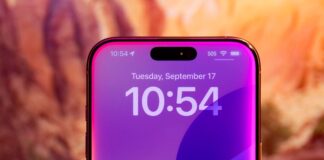
Jagged edges. You know the look. It is that stair-step effect on a diagonal line or the curve of a circle. The screen can only handle a grid of square pixels. Real life has smooth curves. Digital math struggles to bridge that gap. The result is visual noise. It looks broken. It feels low-resolution, even if the rest of the image is sharp.
This artifact has a name. It is called aliasing. In French, we call it crénélage. The fix is antialiasing. This is not just about making things pretty. It is about making things readable. It is about reducing eye strain during long gaming sessions or complex design work. Without it, modern graphics look gritty.
Why jagged edges matter more than you think
Aliasing happens because pixels are discrete. They are individual blocks of light. A line moving at a 45-degree angle does not fall perfectly on these blocks. Some pixels turn on. Some stay off. The transition is abrupt. The eye sees this as a zigzag.
This is not just an aesthetic complaint. It impacts function. In medical visualization, a jagged edge on a blood vessel can hide details or create false boundaries. In scientific simulation, accuracy matters. If the boundary of a fluid or a structure is pixelated, the data interpretation becomes messy. Even in casual browsing, sharp, jagged text is harder to read. It fatigues the eyes.
The goal of antialiasing is to soften that transition. It does not remove the pixel grid. It cheats the eye. It blends the colors at the edge of an object with the background. The result is a gradient. The eye perceives this gradient as a smooth line. The illusion holds.
The evolution of smoothing techniques
Developers have been fighting this problem since the early days of digital graphics. The solutions vary in cost and quality. Each method balances performance against visual fidelity.
Spatial methods and the heavy lifting
The oldest approach is spatial antialiasing. It works by calculating more data than the screen can display. The classic example is Supersampling Anti-Aliasing (SSAA).
SSAA renders the entire scene at a higher resolution. Maybe 4x or 8x the native size. Then it downscales the image to fit the screen. By averaging multiple pixels into one, the edges become smooth. The quality is excellent. The cost is brutal. The graphics card must process significantly more data. This drains battery life and heats up hardware. It is powerful but inefficient.
Targeted efficiency
To save processing power, engineers developed Multisample Anti-Aliasing (MSAA). This method changed the game for a long time. It only samples the edges of polygons. It ignores the flat surfaces in the middle of a texture. This reduced the computational load drastically.
MSAA remained the standard for years. It looked good. It ran on mid-range hardware. But it had limits. It did not handle texture aliasing well. If the pattern on a wall was jagged, MSAA could not fix it. It only smoothed the geometric edges.
Speed and approximation
As games became more complex, hardware limits forced new innovations. Enter Fast Approximate Anti-Aliasing (FXAA).
FXAA works differently. It does not sample geometry. It analyzes the final image after rendering. It looks for high-contrast edges. It blurs those specific areas. The result is fast. It runs on almost any GPU. It is a post-process effect. The trade-off is slight blurriness. It can make the whole image look a bit soft, not just the edges.
Temporal integration
The latest shift moves into time. Temporal Anti-Aliasing (TAA) uses history. It looks at the previous frame and the current frame. It uses motion vectors to blend data over time.
This is powerful for high-resolution displays. It smooths out jitter. It provides stable images. It is efficient because it reuses data. However, TAA can introduce ghosting. If an object moves quickly, you might see a trail or a blur. It is a complex balancing act between stability and clarity.
Choosing the right tool for the job
There is no single perfect solution. The choice depends on what you are building.
For a static architectural render, you might choose SSAA. You have time to wait. You want maximum quality. The hardware can handle it.
For a fast-paced first-person shooter, MSAA or FXAA might be better. You need frame rate. You cannot afford the cost of supersampling.
For modern PC gaming with variable refresh rates, TAA is becoming the default. It handles high resolutions well. It integrates with upscaling technologies like DLSS or FSR.
The debate continues. As resolutions climb to 4K and beyond, the visibility of aliasing decreases. Some argue that antialiasing is becoming less critical. The pixels are smaller. The eye has less to complain about. But on high-density screens, or when moving quickly, the artifacts remain.
Engineers keep pushing. They want the smooth look of analog film with the precision of digital code. Until we solve the physics of light and perception, we will keep blending pixels. We will keep cheating the eye. The jagged edge is a permanent reminder of our digital limits. And we will keep trying to erase it.
Anti-aliasing isn’t just a settings slider anymore. It is a foundational requirement for digital clarity. We have moved past the era where jagged edges were an acceptable trade-off for performance. Today, the absence of anti-aliasing breaks immersion instantly.
In gaming, this parameter defines the line between a blurry mess and a sharp, immersive world. Players notice the discontinuity in shapes and motion. When edges are jagged, the brain registers it as “fake.” Anti-aliasing smooths these transitions. It ensures that virtual objects look like they belong in the space they occupy. This demands constant adaptation. Virtual cameras move. Hardware varies wildly from a laptop to a high-end rig. The technique must adapt to survive.
Where Anti-Aliasing Defines Professional Standards
The stakes change when you leave gaming studios.
In animation and visual effects, budget is less of a constraint than precision. Studios deploy heavy computational solutions. They do this to guarantee a flawless render. This is non-negotiable for large-format screens or 8K displays. If an edge is jagged, the illusion shatters.
Graphic designers rely on it too. Vector drawings, text elements, and complex illustrations suffer from aliasing artifacts. A single jagged pixel can disrupt the entire composition. It breaks the visual homogeneity. The eye catches it. It distracts from the message.
But the application goes deeper than art.
Anti-aliasing is critical in scientific and medical visualization. Researchers use 3D modeling, scanning data, and simulations to understand complex biological or physical processes. Here, clarity is not just aesthetic. It is functional. Fine details must be perceptible. Interfaces need to be readable. If a scan shows jagged boundaries, a diagnosis or analysis can be misinterpreted. Accuracy depends on smooth, accurate edges.
This demand for precision extends to web development and UI design. Every pixel counts. Information transfer must be efficient. Aliasing adds noise to that signal.
The User Experience Reality
The impact on the end-user is tangible. Reducing aliasing reduces visual fatigue. It is a simple physiological fact. Straining to process jagged lines tires the eyes faster than processing smooth curves.
Clear interfaces speed up comprehension. Users process visuals more quickly when there is no visual “noise” to filter out.
Some argue that high-resolution displays make anti-aliasing obsolete. The logic is sound: more pixels mean smaller, less noticeable steps. But this reasoning is flawed. High-density screens reduce, they do not eliminate, the visibility of aliasing. Sharp diagonals, thin lines, and dynamic effects still suffer. The human eye is surprisingly good at detecting irregularities, even at Ultra HD resolutions.
As we shift toward Virtual Reality (VR) and Augmented Reality (AR), the requirement intensifies. These environments are immersive by design. If the edges are rough, the brain rejects the simulation. Credibility hinges on the smoothness of contours. Comfort is not a luxury; it is a prerequisite for extended use.
The Future: AI and Next-Gen Displays
Technology is moving fast. New display technologies like 4K, 8K, and high-refresh-rate monitors continue to push the boundaries of what is possible. They increase pixel density. They make aliasing less obvious. But they do not erase it.
Algorithm designers face a paradox. Users want higher fidelity and fluidity. But hardware has limits. The challenge is maintaining visual fidelity across diverse use cases. This ranges from mobile phones to professional immersive installations.
Enter Artificial Intelligence.
Deep learning methods are opening new pathways for anti-aliasing optimization. AI can recognize contours automatically. It can learn from high-resolution image datasets. Theoretically, these algorithms can adjust anti-aliasing intensity and location in real-time.
This allows for a finer compromise between performance and realism. The system learns where anti-aliasing is needed most. It stops wasting resources on areas where it is not. This is not just about making things pretty. It is about intelligent resource allocation.
Where the Research Leads
The evolution of anti-aliasing is a dynamic field. It sits at the intersection of aesthetics, engineering, and ergonomics.
Researchers are constantly re-evaluating methods. The goal is to eliminate aliasing effectively while respecting energy and hardware constraints. This is a major concern for industry leaders and image science researchers alike.
For those interested in the technical underpinnings, the work at Inria provides a solid anchor. Their research on visualization across all platforms addresses the core challenges of performance and quality in interactive environments. It highlights how anti-aliasing techniques must adapt to different screens and use cases. It is not a one-size-fits-all solution.
As displays get denser and AI gets smarter, the definition of “clean” edges keeps shifting. We are still chasing perfection. And the edges of that pursuit are getting smoother.