You can’t escape them. ATMs, car dashboards, game consoles, and obviously your phone. By the end of 2011, the industry shipped 630 million touch-screen smartphones and tablets. That’s a massive leap from 244 million units just two years prior. The growth isn’t accidental. It’s biological.
“Learning to touch is one of the first things we do when we’re born,” says Brian X. Chen of The New York Times.
We swipe, pinch, and press because that’s how humans interact with the physical world. It feels natural. But under the glass, the magic is actually quite boring.
How capacitive touch screens actually work
Most modern devices use capacitive touch-screens. They don’t rely on pressure. They rely on electricity.
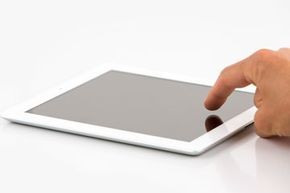
The screen holds a tiny electrical charge. Your finger is a conductor. When you touch the glass, your body absorbs some of that charge. The device detects the location of that change and sends the data to the processor. The processor interprets the gesture.
It’s not reading your mind. It’s reading a circuit break.
This hardware needs software to make sense of it. Mobile operating systems like iOS and Android handle the translation. iOS stems from OS X (Apple’s desktop OS). Android is built on Linux. Both contain specific code to manage the touch interface and run applications.
The full-screen trap of mobile interfaces
The software architecture changes how you see the world. On a desktop, you use windows. You stack them. You overlap them. You access them with a mouse.
On a touch device, the interface demands full-screen immersion.
When you check email or browse the web, the app takes over the entire display. There are no margins. No taskbars. Just one thing at a time. This design choice dictates usage patterns.
Brian Chen argues this fosters concentration. Reading a book? Great. Watching a video? Perfect. The single-activity focus removes distraction.
But productivity suffers.
Imagine writing a paper. You need to check an email for notes. Then cross-reference a website. On a PC, you have three windows open. On a phone, you close the email. Open the browser. Close the browser. Open the word processor.
You can’t juggle multiple pieces of information. You have to shuttle back and forth.
“You can’t juggle multiple pieces of information at the same time,” Chen notes.
This limitation has a silver lining: battery life. Touch-screen devices require less processing power for these single-task workflows. PCs have to manage complex multi-window environments. The simpler the task, the longer the battery lasts.
Will touch screens replace desktops?
Not anytime soon.
Some laptops now feature touch screens. The hardware is merging. But the software philosophy remains distinct. PC-style operating systems are still the standard for getting work done. Touch-screen systems are built for casual consumption.
We are entering a dual-screen era. One device for consuming content. Another for creating it.
The touch screen gave us a new way to interact. It didn’t kill the mouse. It just changed what we expect from a screen.
Which interface do you prefer for deep work? The one that lets you see everything? Or the one that forces you to focus on one thing at a time?