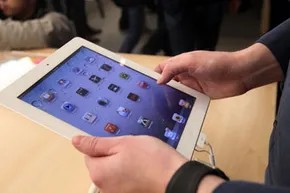
Apple didn’t just enter the tech market; it rewrote the rules. The iPod changed how we carried music. The iPhone changed how we carried the internet. When the first iPad hit shelves in mid-2010, it wasn’t a surprise that it became an instant phenomenon. Apple moved 3 million units in just 80 days. That kind of demand forces a company to move fast. Less than a year later, in March 2011, the iPad 2 arrived.
If you are looking at these tablets today, the question isn’t whether they work. They do. The question is which one makes sense for your wallet and your habits. Both devices are sleek, portable, and rely on that signature touchscreen interface to deliver media and connectivity. But the iPad 2 isn’t just a re-skinned original. It has specific upgrades that change how you use the hardware.
Physical Changes: Thinner, Lighter, and Cameras
Start with the metal and glass. The iPad 2 is undeniably more refined in its physical dimensions. It measures about 8.8 millimeters thick. That is roughly 33 percent thinner than the first-generation model. It also weighs between 1.33 and 1.35 pounds, depending on the storage tier. That is up to 15 percent lighter.
Does the extra pound matter? For many, no. The original iPad is still tiny compared to a laptop and has a larger display than many competitors. The color option—white casing on the iPad 2 versus the standard black of the first—is mostly aesthetic. It might sway a style-conscious buyer, but it won’t change the user experience.
The cameras, however, are different. The original iPad lacked a front-facing camera. This was a glaring omission for anyone who wanted to use the tablet for real-time videoconferencing. You couldn’t see yourself while talking to others. The iPad 2 fixes this. It includes both a front and a rear camera. If you plan to use your tablet for FaceTime calls or remote meetings, this feature shifts the iPad from a consumption device to a communication tool.
Performance: The Dual-Core Advantage
The real divergence between the two devices happens under the hood. Both models offer the same storage options: 16, 32, or 64 GB. The speed difference comes from the processor and memory.
The original iPad runs on a 1 GHz A4 chip with 256 MB of RAM. The iPad 2 steps up to a 1 GHz A5 chip. The A5 is dual-core. It also doubles the RAM to 512 MB.
This hardware jump has tangible effects. Games load faster and run smoother. Multimedia applications, especially those using the new front camera, are less likely to stutter or hang. The processor handles the extra load without breaking a sweat.
The iPad 2 also adds a three-axis gyro sensor. This component senses changes in the device’s position. If you play motion-controlled games or use apps that rely on tilt and rotation, the iPad 2 is more precise. Both models have 3G versions with built-in GPS. The gyro adds a layer of accuracy to location-based apps that the original simply couldn’t match.
Deciding Between the Models
So, which iPad is best for you? It depends on what you value more: cost or capability.
If you mainly read, watch videos, and browse the web, the original iPad still holds up. It is cheaper and does the basics well. The screen is large. The battery life is solid.
But if you want to video chat, play complex games, or use motion-sensitive apps, the iPad 2 is the clear winner. The front camera opens up new use cases. The dual-core chip ensures the software stays responsive. The gyro adds precision to navigation and gaming.
The choice isn’t just about saving money. It’s about whether you need the device to do more than just display content. It’s about whether you want to interact with it in real time. The hardware tells you what each one can do. Your usage habits tell you what you actually need.
Which one are you leaning toward? The budget-friendly classic or the faster, camera-equipped upgrade? The answer lies in how you plan to hold it in your hands every day.
Matching the hardware to your actual workflow
The choice isn’t about specs on paper. It’s about what you actually do with the device. If your business relies on real-time coordination, the iPad 2 becomes a serious contender. The dual cameras aren’t just a novelty; they enable video conferencing from anywhere with a signal. That mobility changes the equation for remote teams.
Processing power matters too. If you routinely stress-test your hardware with demanding apps, the iPad 2 handles the load better. You likely already double down on RAM for your laptop. Why not apply that logic here? The 64 GB storage option on the newer model offers headroom for large media libraries and complex workflows that would choke an older device.
When the original iPad still makes sense
Not everyone needs the latest silicon. The first-generation iPad remains a robust machine for core tasks. Web browsing. Video playback. E-books. Email and social media. If your list stops there, the older model is sufficient. It does not lag on these basic functions.
Apple cut the price of the first-generation iPad by $100 in spring 2011. That discount shifts the value proposition. You get a capable, attractive tablet for significantly less money. It is worth testing a first-generation unit before committing to an upgrade. If the budget is tight and the use case is light, the savings are hard to ignore.
Final verdict on which tablet to buy
Your decision hinges on specific needs. Video calls and heavy processing point to the iPad 2. General consumption and budget consciousness point to the original. There is no universal winner. Only the right tool for your specific situation. Check the links on the next page for more iPad reviews and tech insights if you need further clarification on performance benchmarks or accessory compatibility. The market moves fast. Your purchase does not have to be permanent.